Turning an old ThinkPad into a home server
For years, I used a Raspberry Pi 2 as my home server, mainly for ad blocking, temperature monitoring, remote access and similar tasks. Those earlier posts are in Slovak.
Why I changed the hardware
When I wanted to start using Plex Media Server to organise my films and TV shows more conveniently, I ran into a problem. Plex is essentially a home Netflix, but my Raspberry Pi 2 was showing its age and no longer had enough performance for what I needed.
My first idea was to buy a Raspberry Pi 4, but at the time, finding one was practically impossible.
By chance, my old ThinkPad T440s came back to me. I had previously given it to a family member, but it had developed Wi-Fi problems. It has an Intel i5-4300U, 12 GB of RAM and a 250 GB SSD.
I decided to turn it into my new home server, ideally with the lowest possible power consumption.
Setting up the ThinkPad
I chose Ubuntu 22.04 LTS, the latest long-term support release at the time.
Before installing it, I removed the external battery. I left the internal battery in place, where it acts as a basic UPS.
After installation, I made a few changes to reduce power consumption:
- Disabled sleep when closing the lid, so I could leave the laptop closed all the time.
- Turned off the display when the lid is closed.
- Disabled Intel Turbo Boost.
- Installed PowerTOP.
My complete configuration is available in the project repository on GitHub.
Power consumption
I measured power consumption with a Solight DT26. The results were lower than I expected, especially when idle.
| State | Power consumption |
|---|---|
| Idle | 5 W |
| Plex playback | 8 W |
| Plex playback with transcoding | 17 W |
Applications
For simplicity, I decided to use Docker for all the applications. The entire server setup is essentially one Docker configuration file, with the data in a single directory that is easy to back up.
The only application installed directly on Linux is Tailscale, because it requires low-level access to the system. I use it for remote access to my home server without a public IP address or opening any ports (in Slovak).
I would divide the applications running in Docker into a few categories.
Network services
These include Pi-hole for blocking ads across the entire home network and cloudflared for DNS over HTTPS.
I also tried AdGuard Home, but returned to Pi-hole. I have had a better experience with it, especially when it comes to configuration.
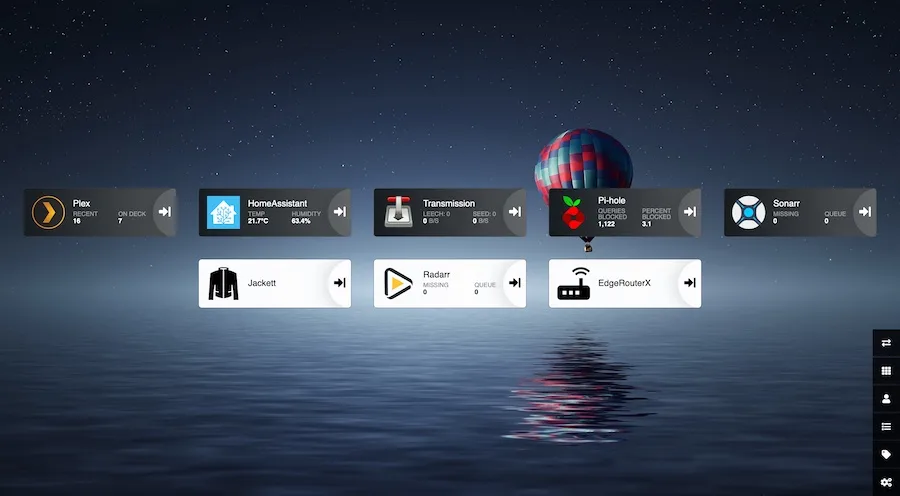
For the server dashboard, I use Heimdall.
Media
The main application here is Plex Media Server. With Tailscale and a few settings, I can access it over the internet as well as from devices on my home network.
Sonarr handles automatically obtaining TV shows, while Radarr does the same for films. Jackett makes working with indexers easier, and Transmission handles the downloads themselves.
Home automation
The final category is Home Assistant, which I am currently testing. It supports a large number of devices and offers extensive scripting options for home automation.
At the moment, I only have three wireless Bluetooth Low Energy sensors connected to it for measuring temperature and humidity. I may add more devices later.