How I built a tool for reading Japanese 🇯🇵
I have been learning Japanese for several years now. I have also written about my experiences learning the language and using Japanese in practice. It is a language that demands patience and a great deal of time—there are no shortcuts to becoming fluent in a year.
While preparing for the JLPT, this time at N4 level, I began reading more authentic Japanese texts and ran into a problem that will be familiar to almost every self-taught learner: furigana.
Furigana—the small characters above kanji that show their pronunciation—are an excellent aid. In practice, however, they often make you stop looking at the kanji altogether. Your eyes automatically jump to the hiragana, and the kanji becomes little more than a picture in the background.
During one Japanese lesson, we simply covered the furigana. The text immediately became much more difficult, but also more interesting. That made me wonder whether there might be a better solution than an all-or-nothing approach: adapting the help to the reader’s level.
For example, furigana looks like this:
日本語 を 勉強 します。
The small characters above the kanji (にほんご and べんきょう) show their pronunciation. When reading, however, your eyes quickly become accustomed to looking at them and begin ignoring the characters themselves.
Why I built Yomu
For years, I wanted to build my own iOS app but never had an idea for something I would genuinely use. Yomu grew directly out of something I needed myself: a tool that would help me read authentic Japanese texts without giving me more assistance than I needed.
Building it involved solving a long list of problems, from accurately identifying words and handling furigana to processing text from the web. Some problems only became apparent through real-world use, and I gradually refined the app based on my own experience.
How Yomu works
Yomu is a simple Japanese text reader for iPhone and iPad. You paste in any Japanese text, such as an online article, a short story or an extract from a textbook. You then select your level—for example, JLPT N4—and the app automatically hides furigana for characters you should already know at that level.
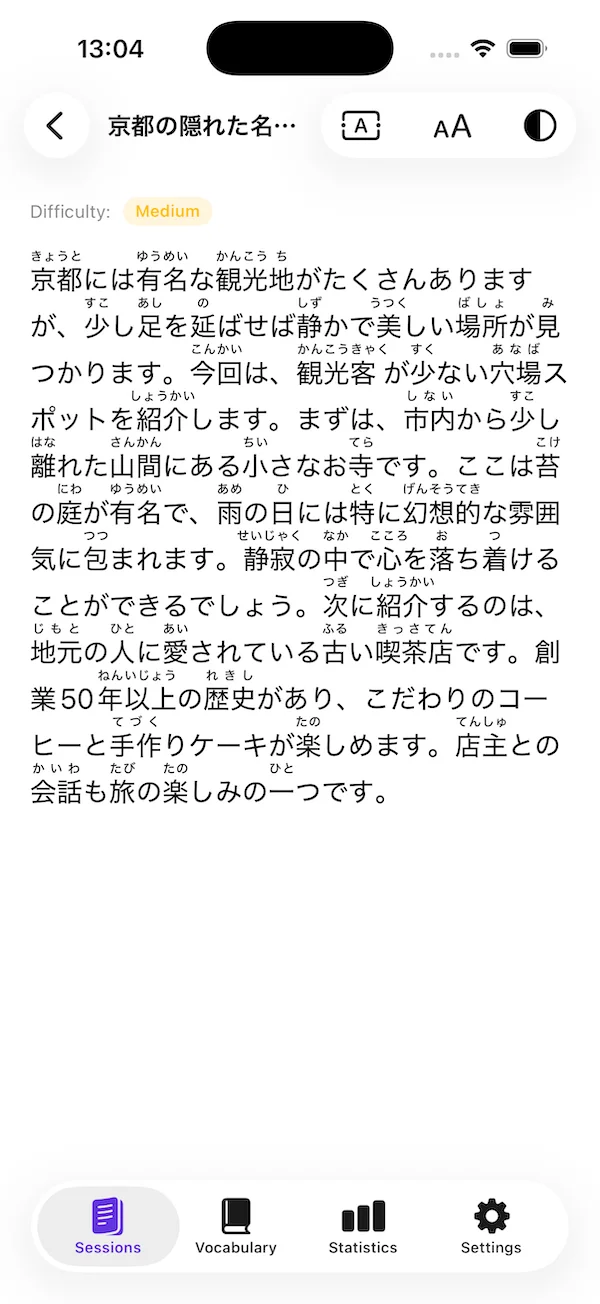
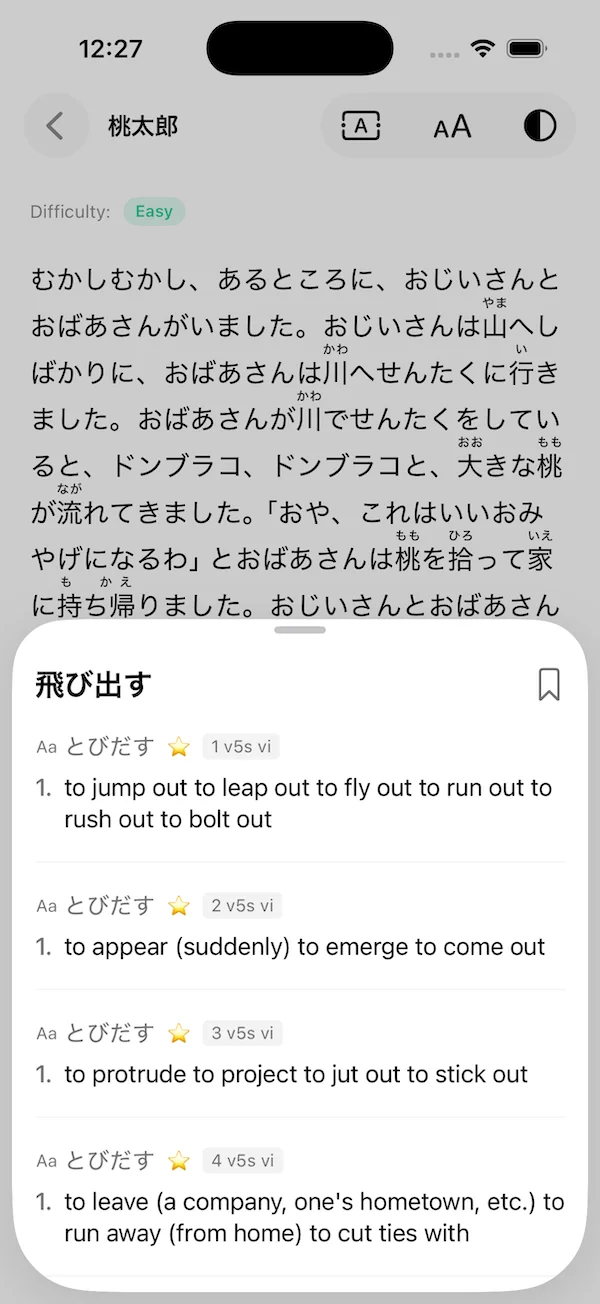
The result is a text that remains readable but makes you think more carefully and pay attention to the kanji. If you encounter an unfamiliar word, you can tap it to see its meaning immediately in the offline dictionary, without switching to another app or needing an internet connection.
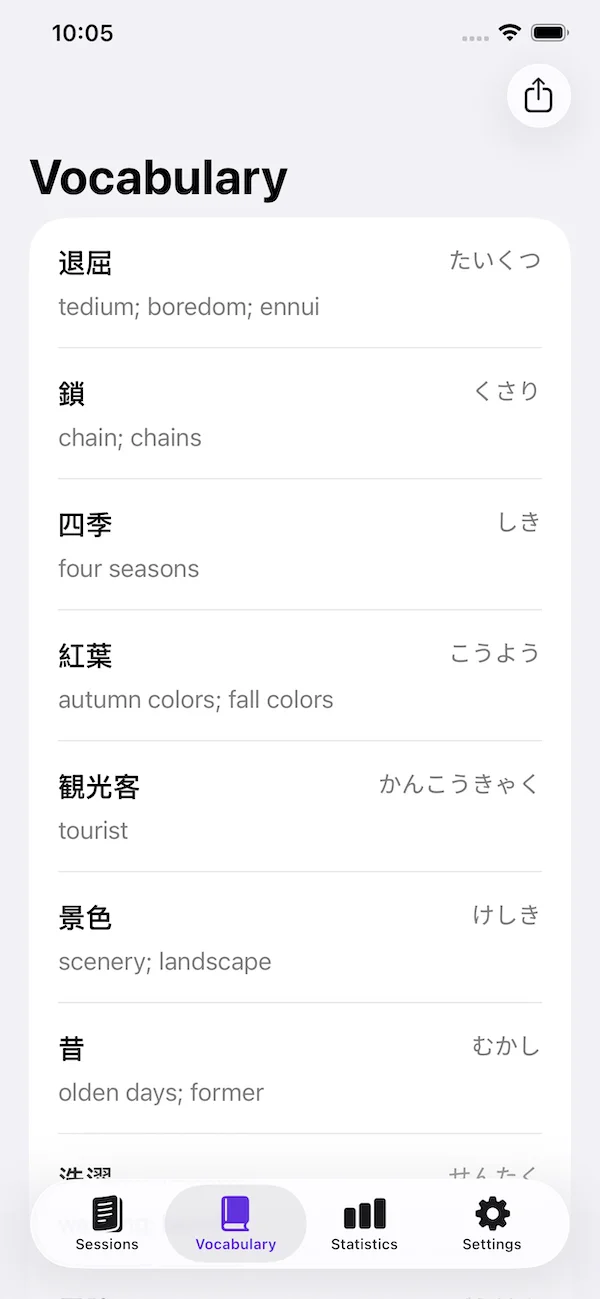
You can save texts, build your own vocabulary list and return to them later.
Yomu is not a learning app with points or a daily schedule. It is simply a tool for reading.
I use it every day when preparing texts and continue to adjust it based on what I encounter in real use. If you are learning Japanese in a similar way, it may make sense for you too.
Where to find Yomu
The app is available on the App Store:
If you try Yomu and find something that could be improved, feel free to let me know.