My experience with the Fitbit Air after a month
Smartwatches haven’t appealed to me for years. I used to have an Apple Watch Series 2, but eventually got rid of it and went back to mechanical watches. One of the reasons was that I didn’t really know what to use it for.
I have notifications disabled for all apps on my iPhone, but I use icon badges for some of them, so the Apple Watch didn’t make much sense to me as a notification device.
The other part was the fitness features. Tracking steps and activity, closing rings and getting various reminders mostly annoyed me and sometimes made me feel an unnecessary need to keep checking the numbers. Mechanical watches don’t do any of that, and more importantly, I simply enjoy watches themselves much more.
Over the past few months, however, I’ve started exercising more regularly and adjusting my diet with the goal of losing a bit of fat and gaining some muscle. Suddenly, some of the data I had ignored on the Apple Watch years ago started to interest me. Mainly my daily activity, step count, heart rate and at least a rough estimate of my energy expenditure.
Buying a smartwatch just for that was out of the question, as I still want to wear my mechanical watches on my left wrist. So I started looking for a simple fitness tracker without a display.
A fitness tracker without a display
One option is the Oura Ring, a small ring with sensors for tracking activity and sleep. I don’t wear rings at all, though, and I’m not particularly interested in buying a relatively expensive device only to then pay a recurring subscription to use it.
Closer to what I was looking for is Whoop. It’s essentially a simple strap with sensors and no display that collects data while everything else is handled by the app. The problem is, once again, the subscription, which the entire Whoop model is built around. I already have more than enough subscriptions and definitely don’t want another one just for a fitness tracker.
In May 2026, however, Google introduced the Fitbit Air, which is conceptually very similar to Whoop. It’s a small fitness tracker without a display that costs around €100 and doesn’t require a recurring subscription for basic use. Google does offer Google Health Premium, but the basic features I bought the Fitbit Air for work without it.
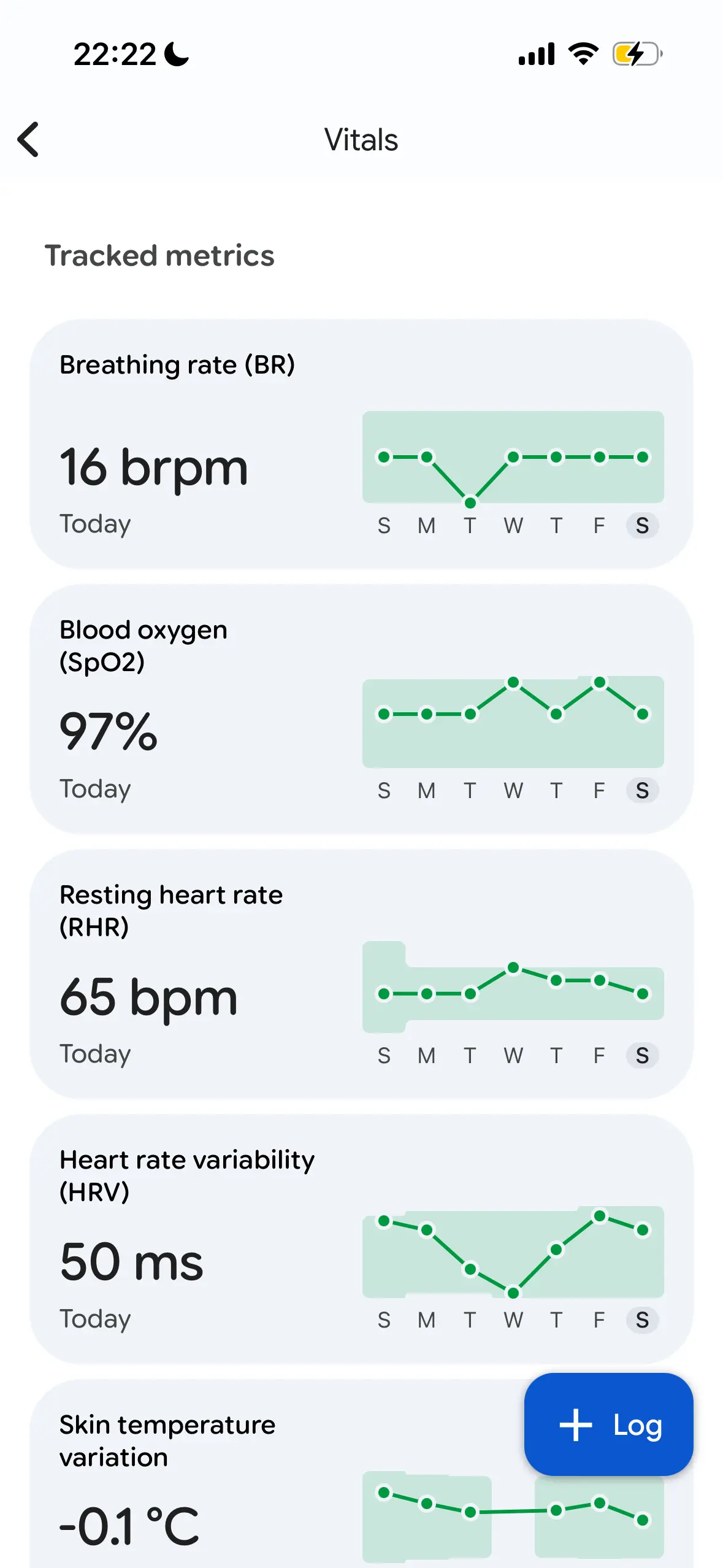
The Fitbit Air measures heart rate, heart rate variability (HRV), blood oxygen saturation (SpO₂), skin temperature and movement. It uses this data to calculate things like step count, calories burned and sleep data. It has no display and most of the time you don’t even have to know it’s there, which is exactly what I was looking for.
The one thing that made me slightly hesitant about buying it was Google. The company has quite a history of killing products and services, so I wouldn’t be particularly surprised if the Fitbit Air ceased to exist a few years from now. For around €100, however, I was willing to accept that risk and give it a try.
Wearing it on my wrist and ankle
The Fitbit Air isn’t officially sold in the Czech Republic, so I ordered mine from Amazon Germany. As expected, I started wearing it on my right wrist, since my left wrist is reserved for mechanical watches.
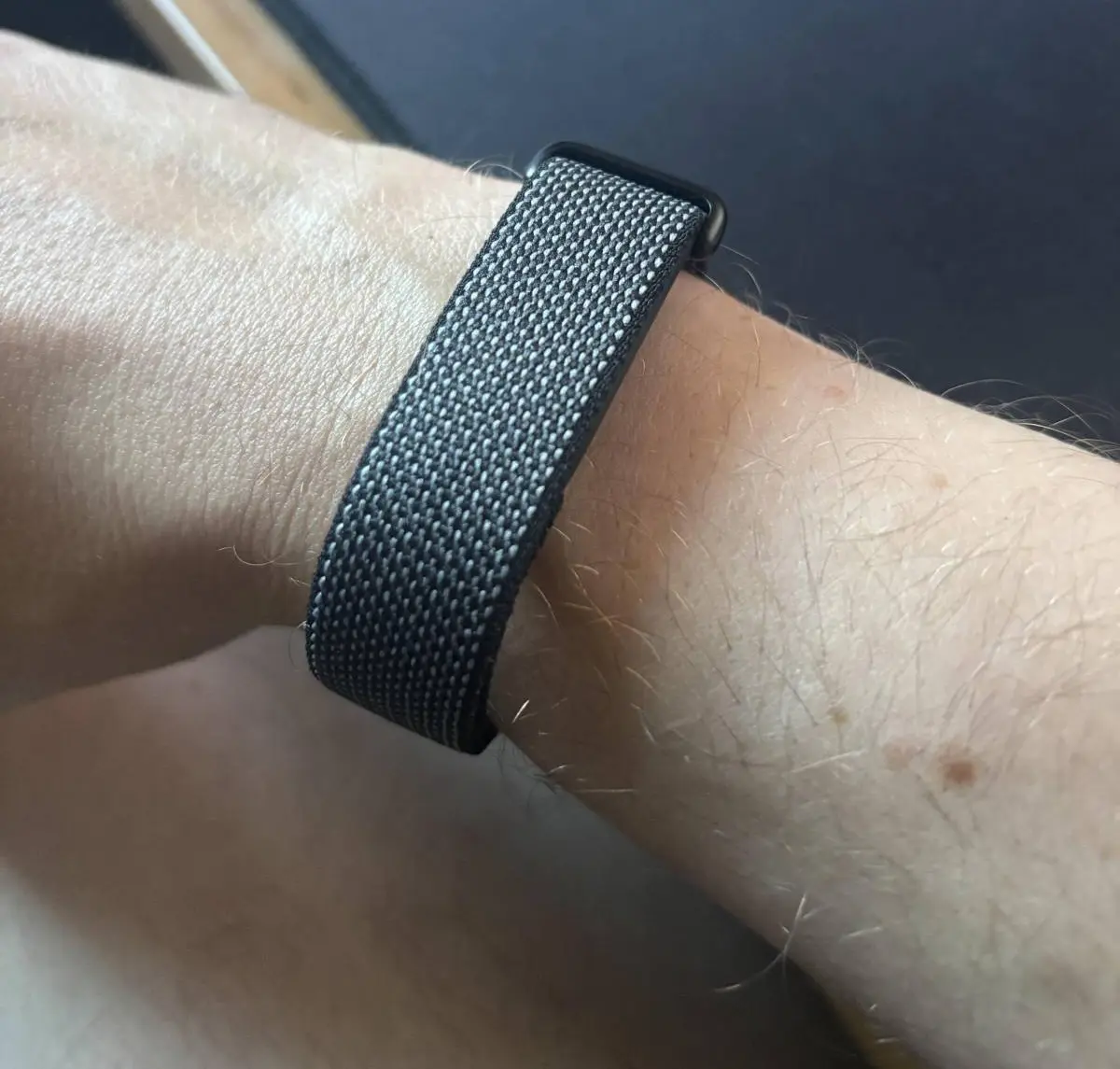
The Fitbit Air itself is small and light, so it doesn’t get in the way much. Even so, after a while I started finding it slightly annoying to have something on both wrists. I therefore tried moving it to my ankle, which turned out to work surprisingly well.
When positioned on the inside of my ankle, heart rate measurement works without any problems and I actually prefer wearing it there to wearing it on my wrist. I barely notice the tracker during the day and, more importantly, I don’t have to wear something on each wrist.
Step counting works surprisingly well too. When comparing it with other data, the results were reasonable enough for me to be happy with them. The Fitbit Air is obviously not designed to be worn on the ankle, so these results need to be taken with a certain amount of caution.
The biggest problem with wearing it on the ankle is sleep tracking, which becomes much less useful.
Sleep tracking
Sleep tracking is probably the part of the Fitbit Air I trust the least. The device tracks movement, heart rate, HRV and other metrics and tries to use them to determine not only how long you sleep, but also the individual stages of sleep.
In my case, the results are often quite strange. Sometimes even the time I fell asleep or woke up is wrong, so I don’t put much weight on figures showing how much time I supposedly spent in REM or deep sleep. It’s even worse when wearing the Fitbit Air on my ankle, where it sometimes fails to record sleep properly at all.
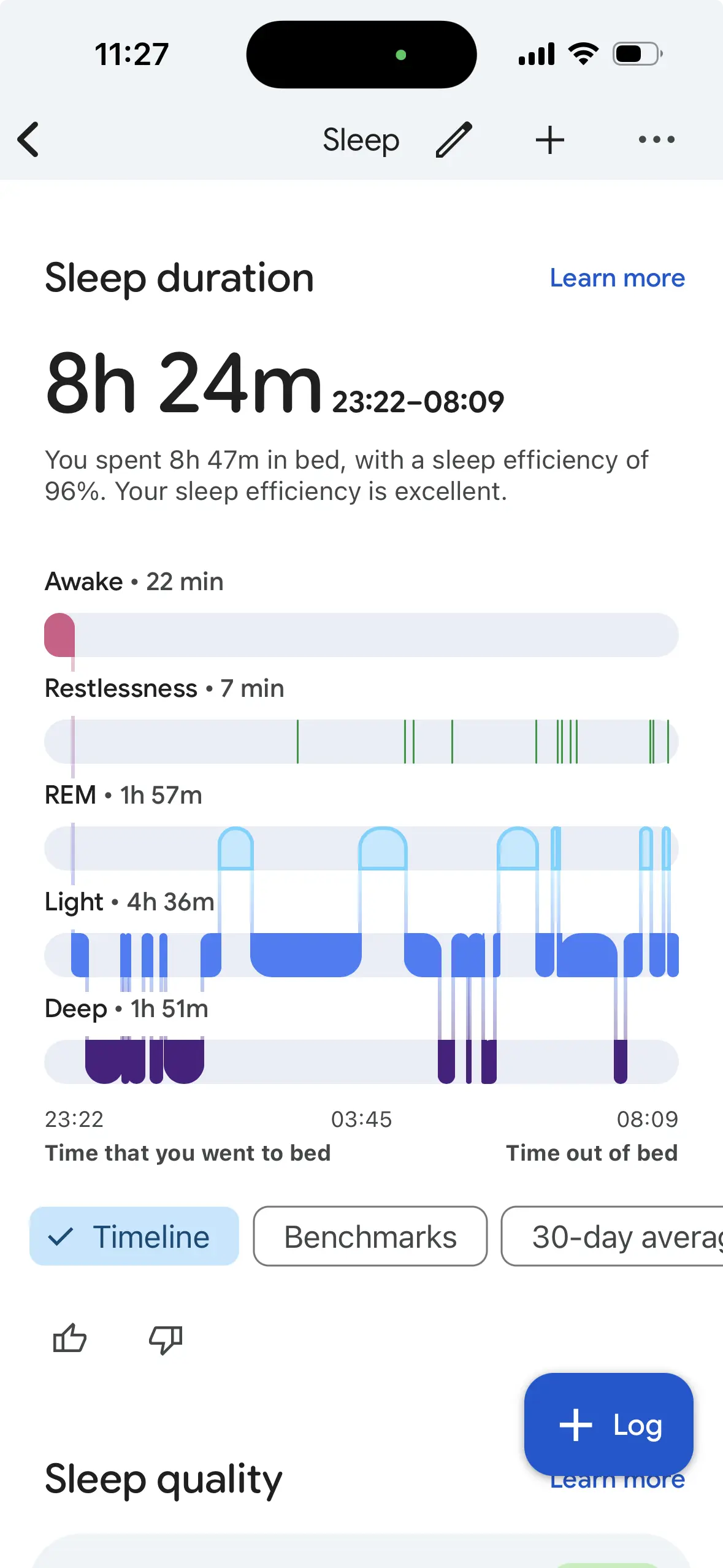
Interestingly, independent Fitbit Air tests have been fairly positive about its sleep tracking. Compared with other devices, it produces a fairly similar estimate of overall sleep duration, although there are more significant differences when it comes to individual sleep stages. There have also been tests of wearing the Fitbit Air on the ankle, where the recorded sleep duration was shorter than when wearing it on the wrist.
My experience therefore doesn’t necessarily mean that the Fitbit Air is generally bad at tracking sleep. Personally, however, I don’t find this data particularly useful and mostly ignore the individual sleep stages.
I find overnight resting heart rate and HRV a little more interesting, especially how they develop over time. Even then, I don’t pay much attention to a particular number from a single night. I’m more interested in what is normal for me after a month of use and whether the values deviate significantly from that.
The data after a month
The metrics I check most often are heart rate, HRV, SpO₂, step count and estimated calories burned. The last two probably have the most practical value for me.
If I see in the evening that I’ve spent the entire day sitting at my computer and have a low step count and low energy expenditure, it often motivates me to go for a walk. I obviously don’t treat the estimated calories burned as an exact figure. I’m more interested in the difference between individual days and whether I moved more or less on a particular day.
It’s similar with HRV. Before getting the Fitbit Air, I had no idea what my HRV values were. After a month, I at least have some kind of baseline. Whether this information is actually useful to me is another question. I can see that the value fluctuates from day to day, but most of the time there isn’t anything obvious I should actually do differently as a result.
That’s probably my biggest question after a month of use. The Fitbit Air can collect quite a lot of data, but I’m still not sure what I’m supposed to do with most of it. Step count and daily energy expenditure have a clear use for me, while HRV, SpO₂ and the other metrics are much less straightforward.
Google Health on iOS
I’m happy with the Fitbit Air hardware, but much less so with the iOS app. Google replaced the original Fitbit app with the new Google Health app this year and, in my opinion, the iOS version is pretty bad, much like several other Google apps.
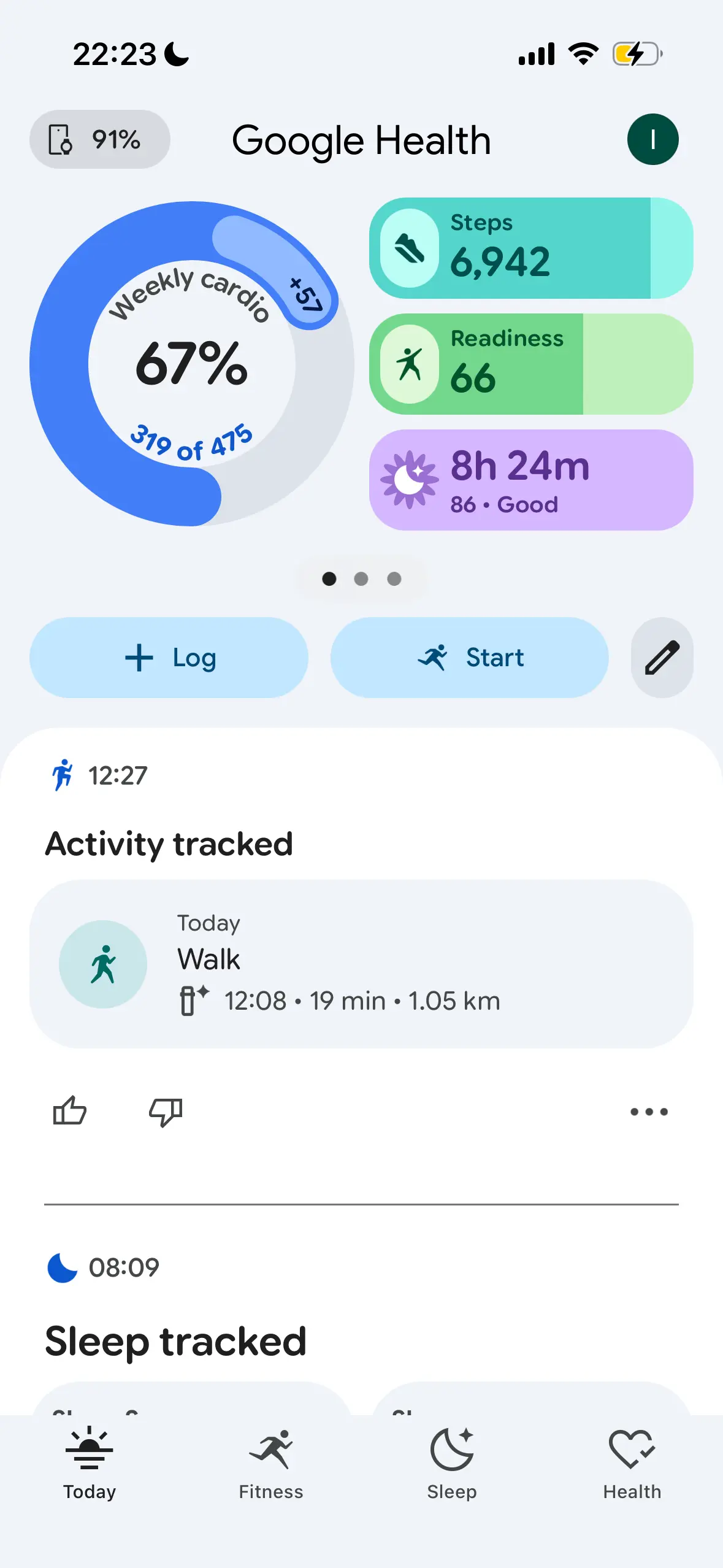
There are lots of different screens, cards and metrics, and simply finding a particular value isn’t always as straightforward as I’d expect. On top of that, the app keeps trying to push me towards its Gemini-powered AI coaching, which I have absolutely no interest in.
I don’t need to discuss with AI the fact that I took fewer steps today or slept badly. What I mainly want from the app is to see the numbers it recorded and how they have changed over time.
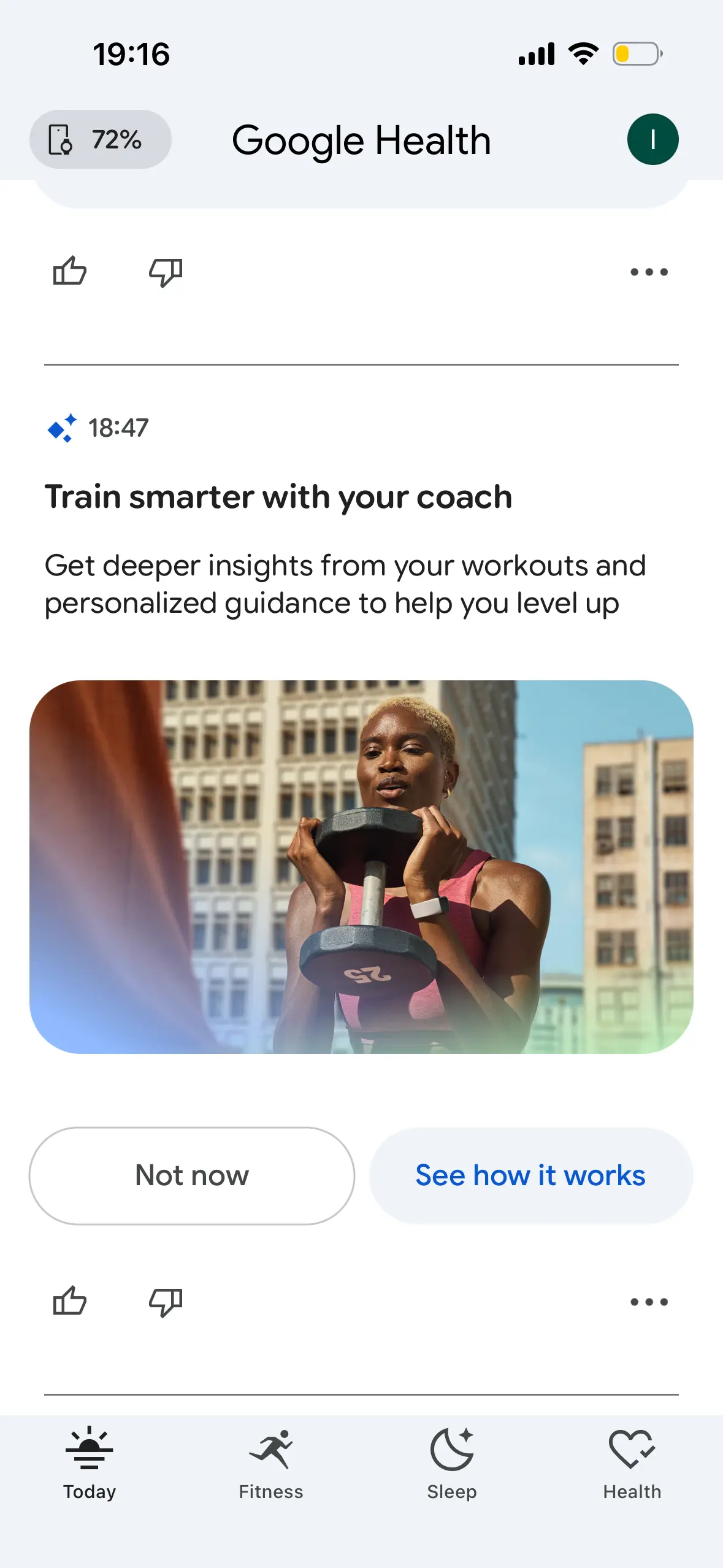
It’s a bit of a shame because the Fitbit Air itself is exactly the kind of hardware I want from a fitness tracker. It has no display, doesn’t show notifications and asks practically nothing of me during the day. The app, on the other hand, tries to make much more out of the collected data than I need it to.
Battery life
Google claims up to seven days of battery life, which roughly matches my experience. I don’t have to charge the Fitbit Air every day like a smartwatch, but it’s still another device I need to remember to charge.
A week is perfectly fine in my opinion and charging isn’t something that particularly bothers me. It’s simply one more little thing to deal with, which I don’t have to think about with mechanical watches.
After a month
During the first few days, I checked the app several times a day. After a month, I find myself looking at the data less and less, which is probably natural. I’m not someone who wants to analyse dozens of health metrics every day and plan my entire day around them.
After a month, the Fitbit Air has at least given me an idea of my usual numbers. I know roughly how many steps I take during a normal working day, what my resting heart rate and HRV look like and how the estimated energy expenditure changes depending on whether I exercise, go for a longer walk or spend the entire day sitting at my computer.
I’m still not sure whether that’s enough of a reason for me to wear the Fitbit Air in the long term. Step count and estimated daily activity can still motivate me to move more, but much of the other data is more of a curiosity than something I would use to make actual decisions.
As a device, the Fitbit Air is probably the closest thing I’ve found to what I wanted from a fitness tracker. It’s small, has no display, its basic features work without a subscription and I don’t have to stop wearing mechanical watches to use it. I’ve also discovered that I can comfortably wear it on my ankle, where I barely notice it most of the time.
Whether I’ll still be using it six months from now is something I can’t really predict. I already look at the data much less than I did at the beginning, and the Fitbit Air is still another device that needs to be worn and charged. Maybe I’ll be happy to let it quietly collect data in the background and check it occasionally. Or maybe after a while I’ll realise I don’t actually miss the data at all.